iPhone Screen Flickering Fix – 9 Powerful Solutions for Display Problems (2026 Guide)
Introduction to iPhone Screen Flickering Issue
The iPhone screen flickering fix is one of the most searched topics in the mobile repair industry. Screen flickering can be extremely frustrating for users, making devices difficult to use and reducing overall performance.
For repair technicians and business owners, understanding how to diagnose and fix iPhone screen flickering is essential. This issue often appears after a repair or due to low-quality iPhone screen replacement parts, making it a critical topic for both technical and commercial purposes.
In this guide, we'll cover the main causes of flickering screens, step-by-step solutions, and how to avoid this issue by using high-quality replacement parts.
What Causes iPhone Screen Flickering?
Hardware Problems
Most iPhone screen flickering issues are caused by hardware-related problems.
Common causes include:
- Loose display connectors
- Damaged flex cables
- Faulty iPhone LCD screen replacement
- Poor-quality aftermarket screens
- Improper installation
If you recently performed an iPhone screen replacement, the problem is likely hardware-related.
Software Glitches
Sometimes, flickering can be caused by software issues such as:
- iOS bugs
- App conflicts
- System errors
While less common, software issues should not be ignored when diagnosing iPhone screen flickering fix cases.
Common Symptoms of Screen Flickering
Before applying any iPhone screen flickering fix, identify the symptoms:
- Screen flashing on and off
- Brightness fluctuating automatically
- Horizontal or vertical lines
- Display instability
- Touch lag or unresponsiveness
These symptoms often indicate issues with iPhone screen replacement parts or internal connections.
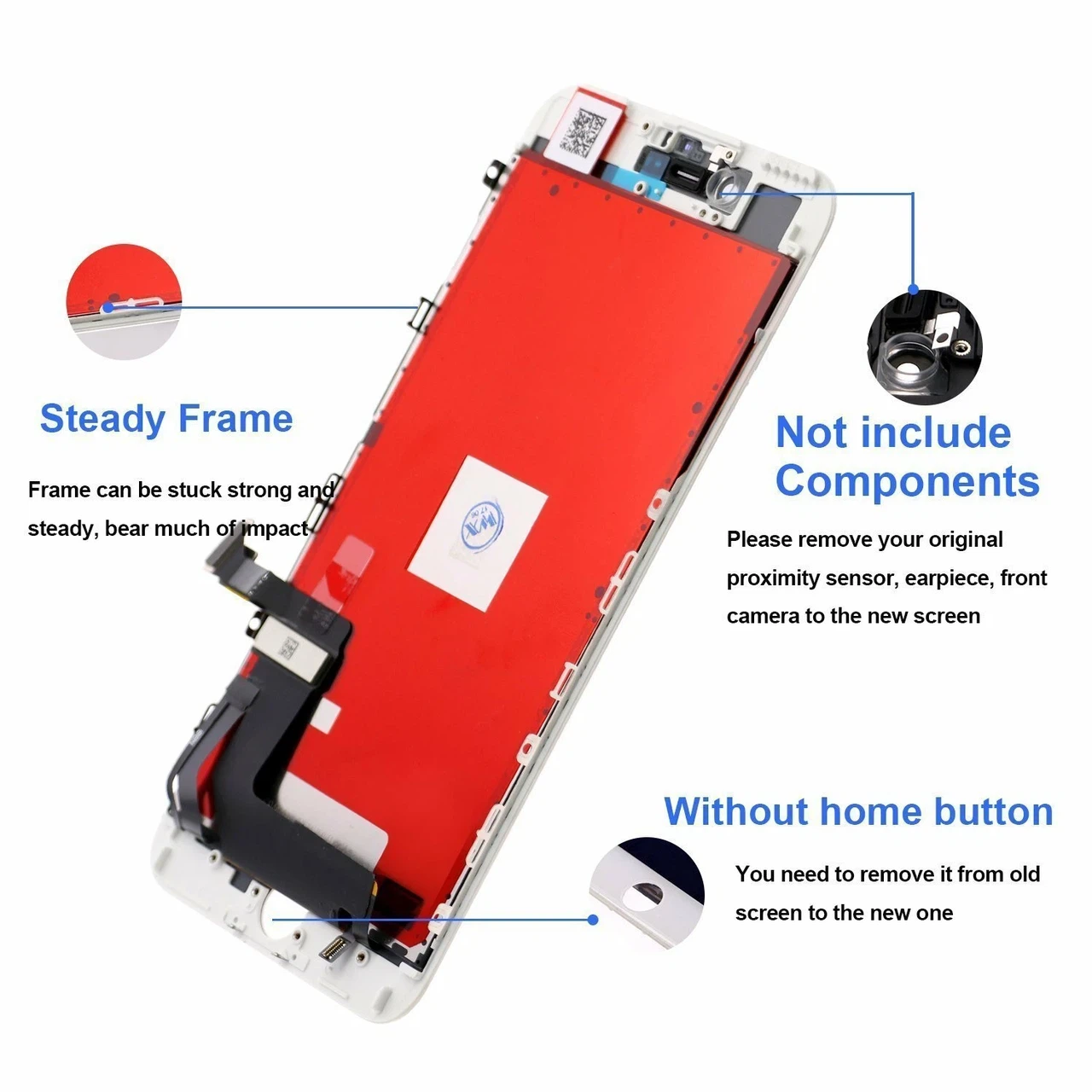
9 Powerful Fixes for iPhone Screen Flickering
Fix 1: Restart the Device
A simple restart can resolve temporary glitches.
Steps:
- Turn off the iPhone
- Wait 30 seconds
- Turn it back on
This basic step can sometimes solve iPhone screen flickering quickly.
Fix 2: Update iOS
Outdated software may cause flickering.
- Go to Settings → Software Update
- Install the latest version
Updating iOS can improve system stability.
Fix 3: Adjust Display Settings
Certain display settings may trigger flickering.
Try:
- Disabling auto-brightness
- Turning off True Tone
- Adjusting brightness manually
These changes can help stabilize the display.
Fix 4: Check Screen Connections
Loose connections are a major cause.
Steps:
- Open the device carefully
- Check all connectors
- Ensure proper alignment
A loose cable can easily cause iPhone screen flickering.
Fix 5: Replace Faulty Screen
If the issue persists, the screen itself may be defective.
Using low-quality iPhone screen replacement parts often leads to flickering.
???? Solution:
- Replace with a high-quality iPhone LCD screen replacement
- Source from a reliable supplier
Fix 6: Reset All Settings
Resetting can fix software-related issues.
Steps:
- Settings → General → Reset
- Reset All Settings
This will not delete your data but may fix the problem.
Fix 7: Check for Overheating
Overheating can affect screen performance.
- Avoid heavy usage
- Let the device cool down
Temperature issues can sometimes cause flickering.
Fix 8: Test with Another Screen
To confirm the issue:
- Install another screen
- Test functionality
If the flickering stops, your original screen is faulty.
Fix 9: Inspect Logic Board
If all else fails:
- The problem may be motherboard-related
- Requires advanced repair
This is less common but possible.
How to Prevent Screen Flickering Issues?
To avoid iPhone screen flickering fix problems in the future:
- Use high-quality iPhone screen replacement parts
- Follow proper installation procedures
- Avoid cheap aftermarket screens
- Test screens before installation
Prevention is always better than repair.
Best iPhone Screen Replacement Parts for Stable Display
Choosing the right parts is critical.
High-quality iPhone LCD screen replacement should offer:
- Stable brightness
- Responsive touch
- No flickering
- Long lifespan
Working with a professional iPhone screen supplier ensures consistent quality.

Where to Buy Reliable Replacement Screens?
If you want to avoid issues like iPhone screen flickering, sourcing from a trusted supplier is essential.
A reliable supplier provides:
- Strict quality control
- Bulk pricing
- Fast shipping
- Warranty support
You can explore high-quality options here:
???? https://www.phone-lcd-parts.com
This helps ensure better repair results and fewer customer complaints.
FAQs
1. Why is my iPhone screen flickering after replacement?
It is usually caused by low-quality parts or loose connections.
2. Can software cause screen flickering?
Yes, but hardware issues are more common.
3. How do I fix flickering screen quickly?
Restart the device or check connections first.
4. Should I replace the screen again?
If the screen is faulty, replacement is necessary.
5. How to prevent flickering after repair?
Use high-quality parts and follow proper installation steps.
6. Where to buy reliable iPhone screens?
From trusted wholesale suppliers with quality assurance.
Conclusion
The iPhone screen flickering fix is a common challenge in mobile repair, but it can be easily resolved with the right approach. By identifying the root cause and applying the correct solutions, you can restore device performance and improve customer satisfaction.
The most important factor is using reliable iPhone screen replacement parts. Poor-quality components are the main reason behind flickering issues. By sourcing from trusted suppliers like
???? https://www.phone-lcd-parts.com
you can reduce repair failures, increase efficiency, and grow your business successfully.